
Data Security Posture Management
Netwrix 1Secure DSPM
Netwrix develops tools for detecting and preventing cyber threats. Since its founding in 2006, it has earned the trust of more than 13,000 customers worldwide. Over the years, Netwrix has received more than 150 IT awards and has repeatedly been included in the prestigious Inc. 5000 and Deloitte Technology Fast 500 rankings. The company’s headquarters is located in Texas, USA.
Netwrix 1Secure DSPM is a user-friendly SaaS solution for data security management that helps safeguard Microsoft 365 environments, file servers, and SQL Server instances. The tool allows you to identify and classify shadow and sensitive data, assess, prioritize, and eliminate the risks associated with this data, and detect threats in a timely manner to prevent data leaks.

Get Netwrix 1Secure DSPM Demo
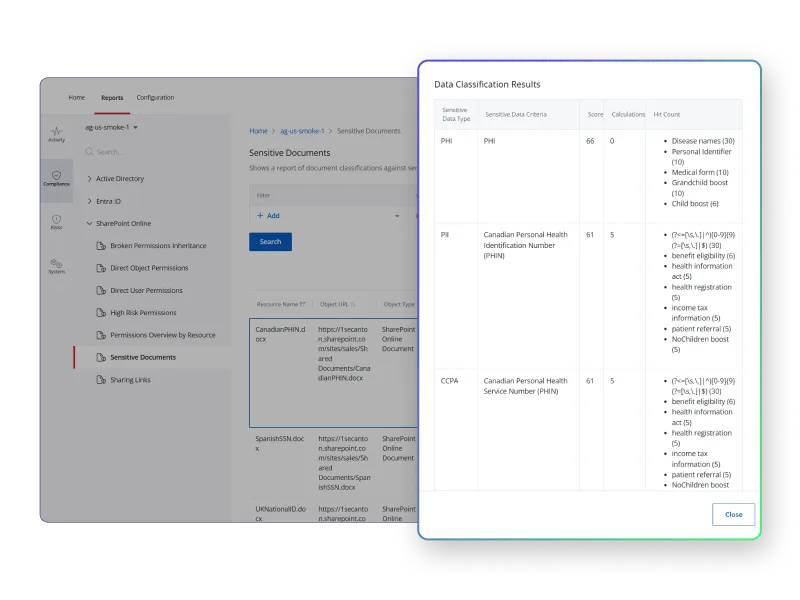
Identification, classification and protection of sensitive data
Automatic identification of sensitive data, reporting and receiving notifications about actions involving it, preventing data leaks by classifying sensitive data it with tags.
Security System Improvement
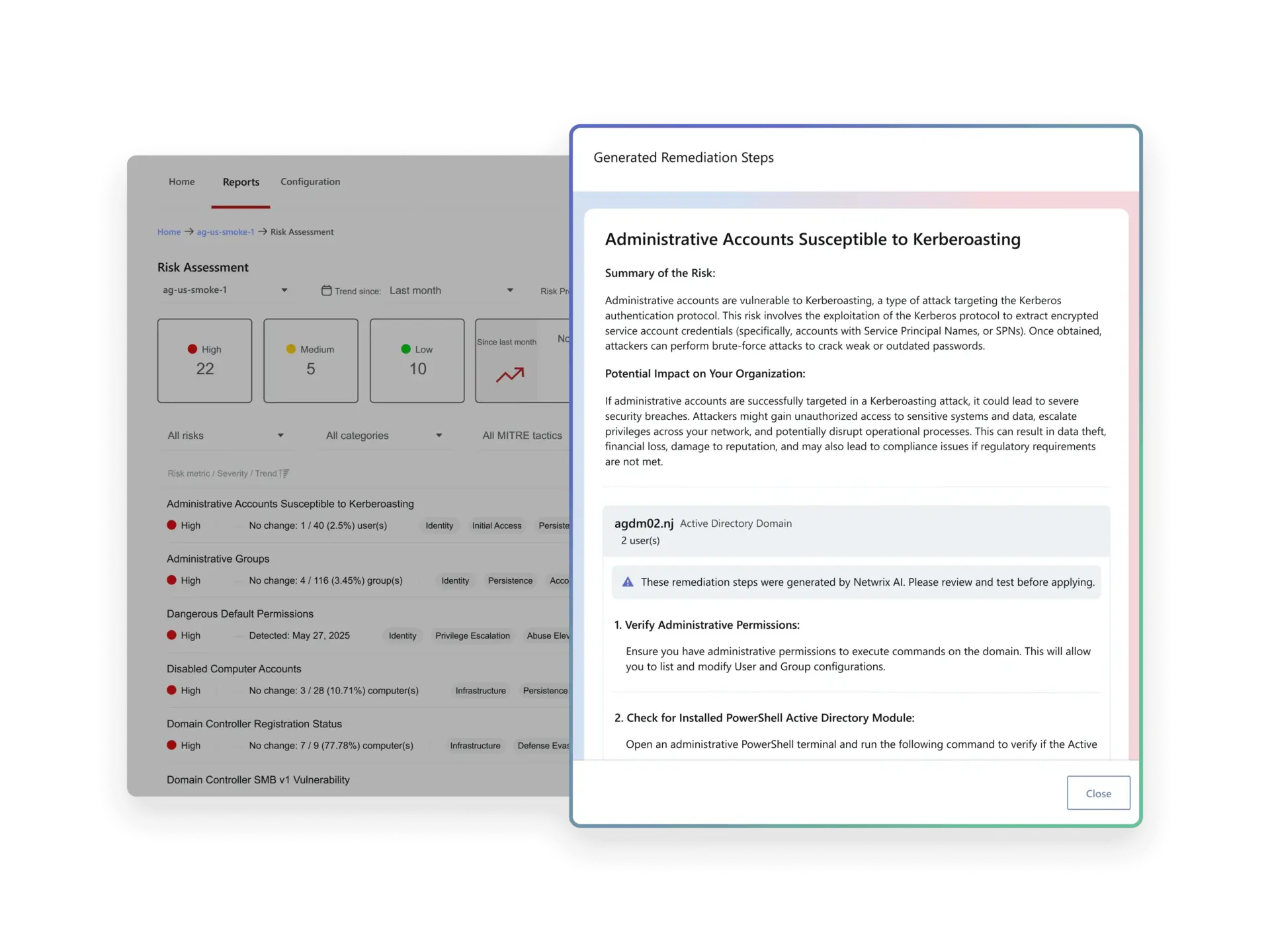
Risk diagnostics within the security infrastructure, identification of risk trends, and their continuous mitigation.
Secure Use of Generative AI
The risk of data overexposure when using generative AI tools like Microsoft 365 Copilot is reduced through the discovery and classification of sensitive information, monitoring of user activity, and review of access permissions to enforce the principle of least privilege.

Key features

Detection of shadow and sensitive data
Detect overexposure of sensitive data, report on activity related to it, or receive alerts when someone attempts to access sensitive records through a brute force attack.

Critical change alerts
Get real-time alerts about unusual activity in Microsoft 365, Active Directory, or file servers so you can respond promptly and minimize potential damage. Customize alerts to suit your needs.

Risk assessment
Diagnose security posture, identify the most concerning risk factors (e.g., accounts that do not require passwords or empty security groups) and high-risk users, and reduce the overall risk level in the organization.

Permission transparency
Identify unauthorized privilege escalation with all the key facts about changes made to security groups, including who did what and when. Stay informed about high-risk permission changes, such as the assignment of excessive access rights to user groups.

Protecting sensitive data through label classification
Preventing data leaks and further improving data risk remediation policies, setting labels for sensitive data. Increasing transparency by identifying which confidential data is subject to excessive disclosure and whether there is sensitive data that has not been labelled.

AI-based risk mitigation
The AI-powered assistant provides personalized recommendations, turning ideas into actions and helping to reduce risks in the IT environment faster and more effectively.

Easy-to-read reports
Management or auditors may want to learn more about the security system at any time. Choose from a variety of easy-to-read, prebuilt reports or create custom ones as needed.

Practical dashboards
Instantly identify issues that require immediate attention with intuitive dashboards that provide an overview of the status of Microsoft 365 environments, file servers, and SQL Server.

Ready-to-export risk reports
The ability to export all reports on risk assessments related to Active Directory and Microsoft Entra ID in .pptx format.

Advanced search and filtering
Reduce the time and effort required to investigate incident details and resolve user issues. Filter by properties such as forwarding email address or file size to get the information you need in seconds.

Easy integration with your ecosystem
Ready-made integrations with tools such as ConnectWise and ServiceNow for automatic ticket creation, as well as SharePoint Online for automatic report uploads.